Unity3D - IOS Terrain and Graphics Test
Vue 1,063 fois
Description de la vidéo
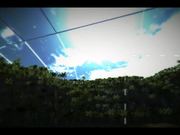
A simple terrain scene I set up in Unity to test what the iPhone 5 could cope with in terms of terrain detail and graphics. The scene has a reasonably large draw distance and uses a high density of grass and trees drawn by the terrain tool. The terrain LOD settings allow a maximum of 150 mesh trees. Trees and grass are all animated using the wind settings for the terrain.
Additional graphical elements of the scene include : real-time reflections on the water, image post-processing effects ( bloom, vignette, chromatic aberration, blurring ), fog, and ambient particles.
The scene is lit with one directional light plus ambient light. Shadows are baked-in.
To further push the device, I added a projectile launcher which explodes into multiple objects. These are capsule colliders so the physics is relatively complex.
The whole scene runs at around 15-20 FPS.
Games on mobile devices rarely use this level of detail, and in particular the draw-distance. But this shows that detail and high level of polish are achievable with the iPhone 5 and equivalent mobile devices.
In general, post-processing effects such as bloom are not used in mobile games, but the performance hit here was relatively low. These kind of effects can greatly enhance the visual quality and polish and bring the game graphics closer to console-quality.
Ajouté le
10 Jan 2017
Commentaires